Poker Satellites Explained: Your Route to Bigger Events
 Clubs Poker Basic

A poker satellite is a tournament whose main prize is entry into another event. It gives you a route to a bigger tournament through a smaller entry, rather than entering the target event directly. Some satellites award a ticket; others register qualifying players automatically.
How poker satellites work
Play the satellite and finish in one of its qualifying positions. The prize list tells you how many entries are available and what each one is for.
For example: if a satellite awards ten identical main-event entries, each of the ten qualifiers earns the same entry. You do not necessarily need to finish first.
A multi-stage satellite adds another step: an early qualifier leads to a higher-stage satellite, which then awards entry to the main event. Check each stage separately; qualifying for the next satellite is not the same as qualifying for the main event.
How to find satellites on Clubs Poker
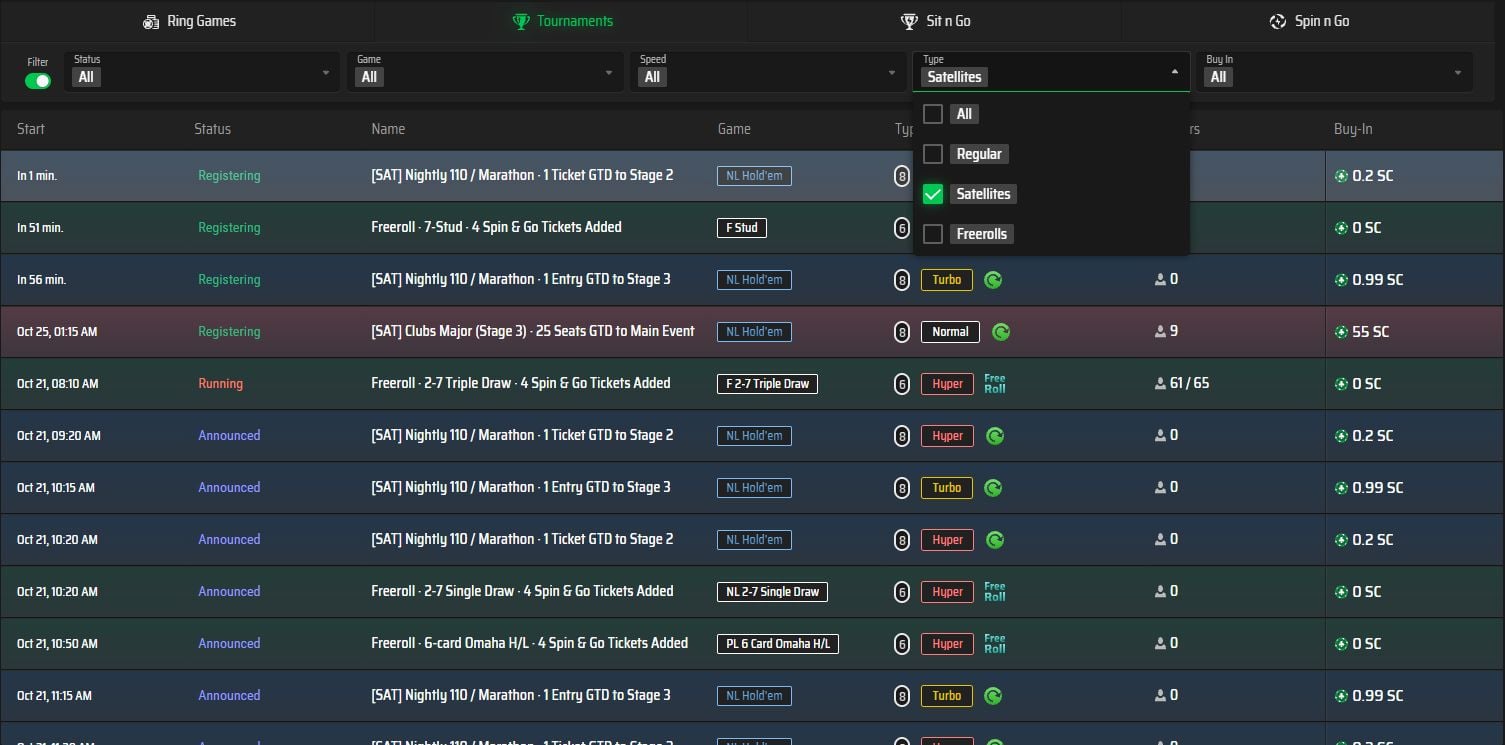
- Log in and open Poker → Tournaments.
- Open the Type filter and select Satellites.
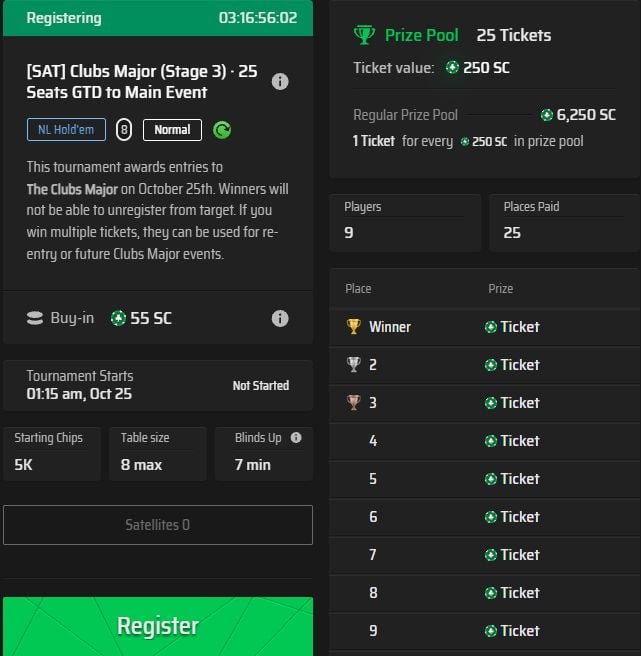
- Select an event and open Details to check its target, entry requirement and prizes.
What to check before you register
- The target event. Make sure the prize is for the tournament or next stage you want.
- The full entry requirement. Check the buy-in, fee and any ticket option. GC and SC are different currencies.
- The schedule. Check the satellite and target start times, including the timezone shown in your client.
- The entry rules. Read ticket expiry, eligible events, automatic registration and any restrictions on unregistering.
Set a total entry budget before starting, including any reentries. A smaller individual entry does not guarantee qualification or a lower total spend.
How to use a tournament ticket
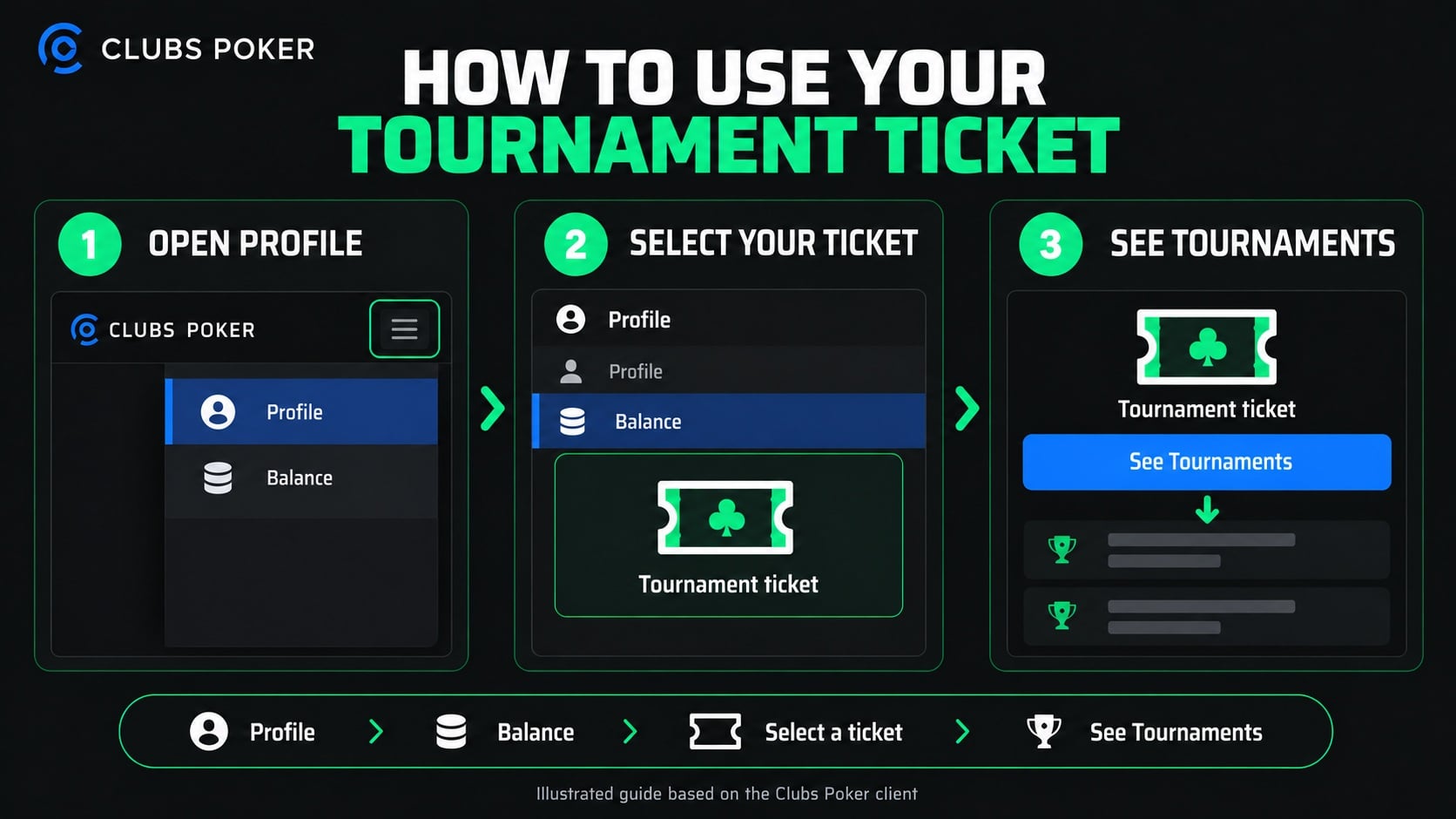
For tickets held in your account, open the client menu and go to Profile → Balance. Select the ticket, then choose See Tournaments to view currently available events that accept it. Check the event details before registering.
Automatic entry works differently. If the satellite registers winners into the target event, you may not need to use a ticket manually. Read the satellite description before entering: some target entries cannot be unregistered.
Freerolls and satellites
A freeroll describes an event with no entry charge. A satellite describes an event that awards entry to another tournament. An event can be both: a free-to-enter satellite can award tickets or seats.
Poker satellite questions
Ticket eligibility
A matching entry amount alone does not make a ticket valid. Use See Tournaments to check which currently available events accept your ticket.
No tournaments showing for your ticket
An eligible event may not currently be available. Check again later and contact support before the ticket expires if you still cannot find an event.
Tickets and your SC balance
A ticket is for eligible tournament entry, not an SC balance. Check the specific event rules for restrictions and any refund arrangements.
Ready to look for your next qualifier? Open the Clubs Poker tournament lobby and select Satellites. For a broader introduction, read our multi-table tournament guide.


Sign up and get:
30 SC Free
Available to all new players
18+. Eligibility and event rules apply. Play responsibly.